


Fiber Optic vs Copper for Business Networks

A network upgrade often becomes urgent at the least convenient time: a new office opens, wireless capacity falls short, video meetings stutter, or a critical application outgrows the cabling behind the walls. The fiber optic vs copper decision affects more than connection speed. It influences project cost, power delivery, physical security, future expansion, and the operational effort required to support the network over time.
For most organizations, the right answer is not fiber everywhere or copper everywhere. It is a structured design that uses each medium where it delivers the best business value. A thoughtful cabling strategy can support current operations without forcing an expensive rebuild when requirements change.
Fiber Optic vs Copper: The Core Differences
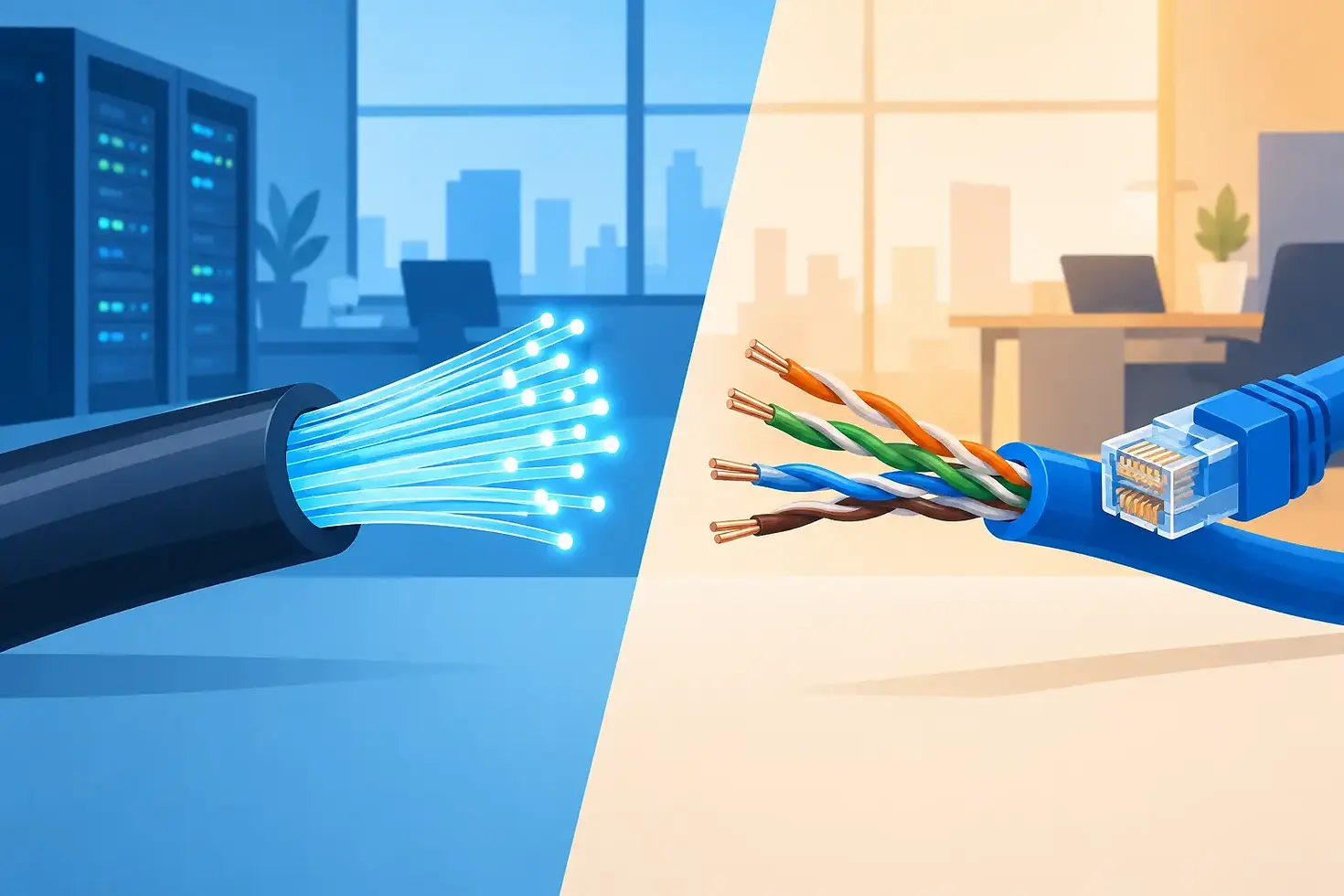
Copper cabling transmits data as electrical signals. In business environments, that usually means twisted-pair Ethernet cabling such as Category 6, Category 6A, or, in older buildings, Category 5e. It is familiar, widely available, and well suited to the horizontal connections that run from an IDF or telecommunications room to desks, access points, phones, cameras, and other endpoints.
Fiber optic cable transmits data as pulses of light through strands of glass. Multimode fiber is commonly used for shorter high-speed links within a building or campus, while single-mode fiber supports much greater distances and is frequently used for campus, municipal, and carrier-connected networks.
The practical difference is distance. Standard copper Ethernet runs are generally limited to 100 meters, including patch cords. Fiber can extend far beyond that limit, from hundreds of meters with multimode fiber to many miles with single-mode fiber, depending on the equipment and design. That makes fiber a natural fit between buildings, across large facilities, and in network backbones that need room to grow.
Bandwidth is another major factor. Copper remains highly capable for endpoint connectivity, including gigabit Ethernet and 10-gigabit connections with properly specified Category 6A cabling. Fiber is usually the better long-term choice when an organization expects to move from 10 Gb to 25, 40, 100 Gb, or higher backbone speeds. The installed fiber may support future upgrades with changes to optics and switching equipment rather than replacement of the cable itself.
Where Copper Delivers the Strongest Value
Copper is often the most practical and economical option for the network edge. A typical workstation, VoIP phone, printer, surveillance camera, door access device, or wireless access point is located within the 100-meter Ethernet limit and requires a connection that can also carry power.
That last point matters. Power over Ethernet, or PoE, allows a network switch to supply electricity and data over the same copper cable. This simplifies deployment of IP phones, security cameras, wireless access points, sensors, and other connected devices. It can reduce the need for local electrical outlets, separate power supplies, and additional coordination with electrical contractors.
Copper also has an advantage in straightforward endpoint installation. Termination hardware, patch panels, and testing tools are common, and many existing facilities already have usable copper pathways in place. If the cable plant meets the performance requirements of the application, retaining it may be a responsible way to control project costs.
However, reusing existing copper should be an informed decision. Older Category 5e cabling may support current gigabit needs but limit future high-speed access, advanced wireless deployments, or higher PoE requirements. Cable condition matters as well. Poorly labeled pathways, degraded terminations, crowded conduits, and undocumented moves, adds, and changes can create reliability problems that are easy to mistake for switch or Wi-Fi issues.
When Fiber Is the Better Infrastructure Choice
Fiber is particularly valuable when distance, capacity, or environmental conditions make copper less suitable. A school district connecting separate buildings, a manufacturer linking a warehouse to the main office, or a municipality extending connectivity to a remote facility may exceed copper's practical range before accounting for pathways and routing.
Fiber is also immune to electromagnetic interference. Facilities with industrial equipment, motors, medical systems, or other electrically noisy environments can benefit from that characteristic. Because fiber does not carry electrical current, it also avoids ground potential differences between buildings, which can introduce risk and complexity when copper is run outdoors or between separate electrical systems.
From a security perspective, fiber is more difficult to tap without disrupting the signal than copper. That does not replace network security controls, segmentation, encryption, monitoring, or access management. It does add a useful physical-layer consideration for organizations handling sensitive records, public-sector data, financial information, or education-related systems.
Fiber's greatest advantage is often its upgrade path. Installing fiber during construction, renovation, or trenching work can prevent a much larger disruption later. The cable itself can remain in place as switch and transceiver technology evolves. For organizations planning a new campus, data center refresh, or multi-building network, this long service life can offset the higher initial installation cost.
Cost Depends on the Full Project Scope
The common assumption that fiber always costs more is only partly true. Fiber cable and optical equipment can carry higher material costs, and installation requires specialized termination, cleaning, inspection, and testing practices. The cost of a fiber project can rise further when conduit, directional boring, aerial work, firestopping, or facility access constraints are involved.
Yet copper can be more expensive in the wrong application. Long-distance copper links require additional network closets, power, cooling, switches, and maintenance. A fiber backbone may eliminate the need for intermediate equipment rooms, lowering both capital and operating costs. In a large facility, the cost of supporting many distributed closets can exceed the premium of a centralized fiber design.
Cost should also include downtime risk. A cable choice that forces frequent workarounds, limits wireless performance, or delays a planned expansion has a real operational cost. For schools and libraries, constrained budgets make it especially important to match infrastructure investments to expected program needs and available funding timelines. For businesses, the calculation often comes down to productivity, continuity, and the ability to add users or services without another major cabling project.
Design the Network Around the Application
The most effective approach starts with what the network must support over the next five to 10 years. An office with standard desktop users has different requirements than a campus with high-density Wi-Fi, IP surveillance, building systems, cloud-based applications, and video collaboration. A network design should account for traffic patterns, physical layout, growth expectations, power needs, and service continuity requirements.
In many environments, a hybrid design is the appropriate answer. Fiber connects the main distribution frame to intermediate distribution frames, separate buildings, server rooms, and high-capacity aggregation points. Copper extends from those locations to individual devices where PoE and cost-efficient installation are priorities. This model uses fiber where its distance and capacity matter most, without paying for fiber connections where copper is fully capable.
Wireless deserves special attention. Modern access points can place significantly higher demands on both the uplink and the copper cable supplying PoE. If an organization is upgrading Wi-Fi, it should evaluate switch capacity, PoE budgets, Category 6A requirements, and fiber uplinks together. Treating wireless as a standalone purchase can leave a new access point constrained by the infrastructure supporting it.
Questions to Resolve Before Selecting Cabling
Before committing to a design, IT leaders should establish the expected bandwidth at the edge and backbone, the longest cable routes, which devices need PoE, and whether any connections will cross between buildings. They should also review available pathways, existing cable documentation, equipment room conditions, and the organization’s likely expansion plans.
Testing and documentation are not administrative extras. Certified cable testing confirms that installed links meet the intended standard. Clear labeling, accurate drawings, and recorded test results reduce troubleshooting time and make future renovations safer and less disruptive. These details are especially valuable for organizations with limited internal IT staff or multiple vendors supporting the environment.
Selecting a Partner for the Right Build
Cabling is foundational infrastructure. A poor design may remain hidden until a new application, camera system, wireless rollout, or office expansion exposes the limitation. The right implementation partner helps translate operational requirements into a practical design, coordinates the work around facility constraints, and validates the finished installation before it becomes part of daily operations.
VoDaVi Technologies helps organizations align structured cabling, fiber optics, network equipment, wireless, communications, and ongoing support under one accountable technology plan. That integrated perspective is useful when a cabling project is connected to broader goals such as cloud adoption, security improvements, business continuity, or a facilities expansion.
The best choice is the one that supports the work your organization needs to do next, while leaving a clear and affordable path for what comes after it. Start with the applications, distances, power requirements, and growth plans that are specific to your environment, then build the cabling foundation to match.


Comments